# Localizing your android app
## Intro
Following up on what we did last time [here](https://amr-hassan.hashnode.dev/introduction-to-android-project-structure).
Our application started to have different audiences with different languages, so we want to localize our app.
## Steps
The good thing is that we have a few texts to change and we already using a reference to the `strings.xml`
```
/*
file located in:: src/main/res/layout
*/
android:text="@string/my_button_text"
```
which have this value
```
/*
file located in:: src/main/res/values/strings.xml
*/
...
Click!
```
### Update all the text inside your app to use `strings.xml`
We also have the text we use for the toast inside our `MainActivity.java`
```
Toast.makeText(getApplicationContext(), "Clicked!!", Toast.LENGTH_SHORT).show();
```
So first thing first let's use the `strings.xml` instead of having the text inside the main file by doing the following update the `strings.xml` to have a text for the toast
```
/*
file located in:: src/main/res/values/strings.xml
*/
...
Clicked!!
```
and update the `MainActivity.java` file to use the new text
```
Toast.makeText(getApplicationContext(), R.string.toast_text,Toast.LENGTH_SHORT).show();
```
Now we updated all the texts around our App to use the `strings.xml` values.
### It's time to translate our `strings.xml`
Right-click on the `strings.xml`, select the Open Translations Editor
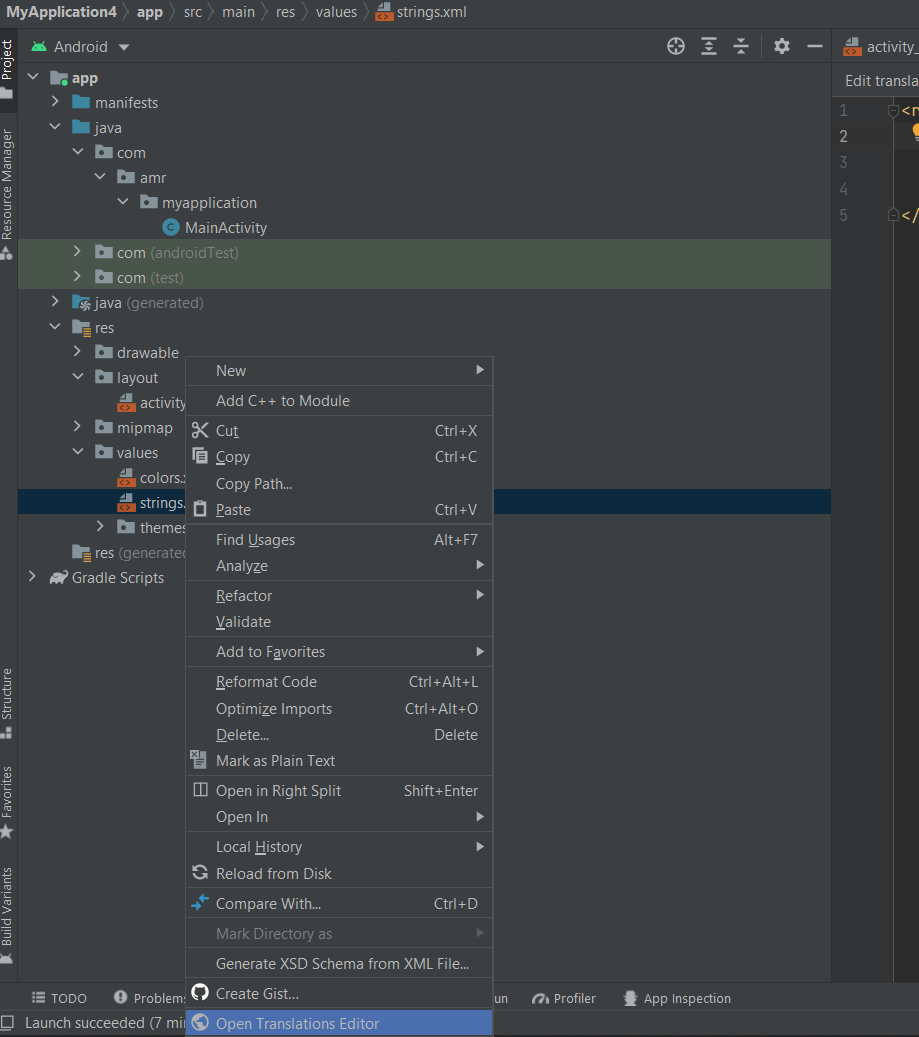
After that, you would need to click on the globe icon, to choose the language you want to support, I'll choose Arabic

The last thing is to fill in the values for each text
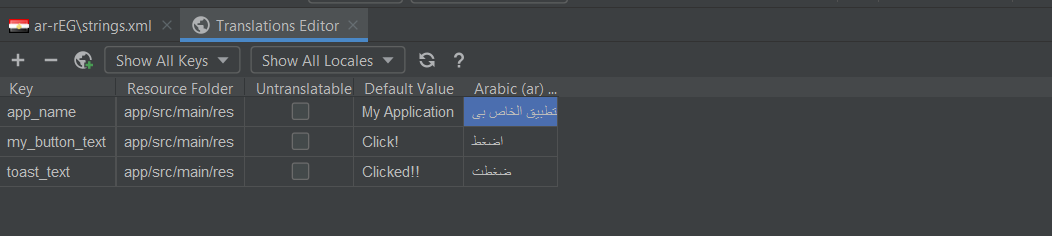
And the android studio will generate a new strings.xml file for the language you just selected.
Here is the result
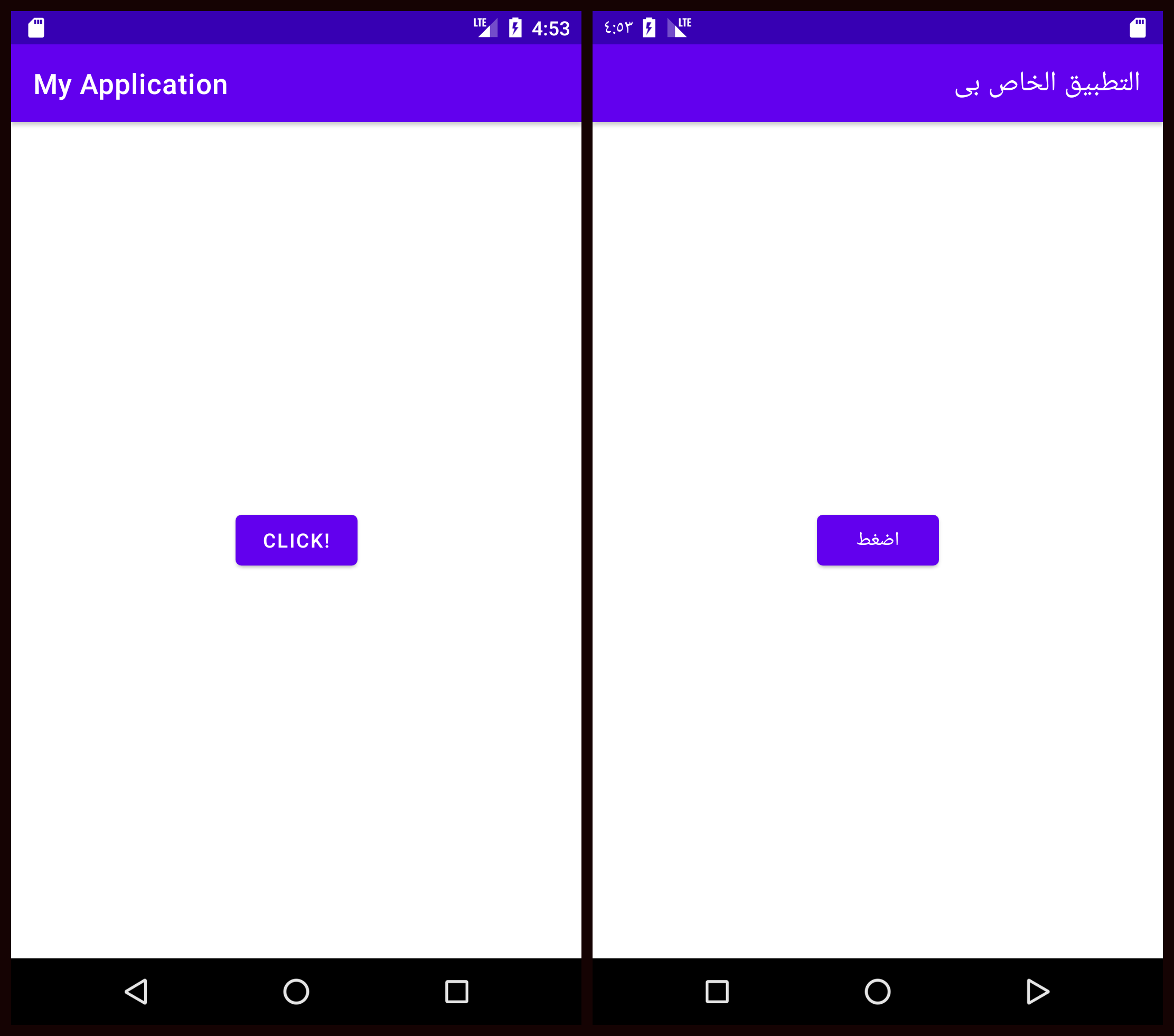
**Congrats!!** now you can support any language you want and have more audience around the globe
See you in the next part
> Photo by Dollar Gill on Unsplash